
Ultra-Lightweight
<10MB memory footprint — 99% smaller than OpenClaw. The smallest full-featured AI assistant ever built.
<10MB
RAM Usage
$10 Hardware · <10MB RAM · 1s Boot · Written in Go
The world's most efficient personal AI assistant. Run your own AI agent on a $10 RISC-V board with under 10MB of memory. 99% smaller than OpenClaw, 400x faster startup, truly portable across RISC-V, ARM64, and x86.
$ picoclaw onboard
# ✅ Config initialized
$ picoclaw agent -m "What is 2+2?"
# 🦐 PicoClaw: The answer is 4!PicoClaw brings the full power of AI assistants to minimal hardware. No cloud dependency, no expensive servers — just a tiny binary that runs anywhere.
<10MB memory footprint — 99% smaller than OpenClaw. The smallest full-featured AI assistant ever built.
Runs on hardware as cheap as $10 — that's 98% cheaper than a Mac Mini. AI for everyone.
400× faster startup time. Boot in under 1 second even on a 0.6GHz single-core processor.
Single self-contained binary across RISC-V, ARM64, and x86. One build, deploy anywhere.
95% agent-generated core with human-in-the-loop refinement. The AI built itself.
MIT licensed, community-driven. Clean, readable codebase. PRs welcome!
See how PicoClaw stacks up against other AI assistant frameworks in terms of resource usage, speed, and cost.
| Metric | OpenClaw | NanoBot | PicoClaw 🦐 |
|---|---|---|---|
| Language | TypeScript | Python | Go |
| RAM Usage | >1GB | >100MB | <10MB |
| Startup Time (0.8GHz core) | >500s | >30s | <1s |
| Min Hardware Cost | $599 (Mac Mini) | ~$50 (Linux SBC) | $10 (Any Linux Board) |
| Architecture Support | x86 only | x86, ARM | RISC-V, ARM64, x86 |
| Single Binary |
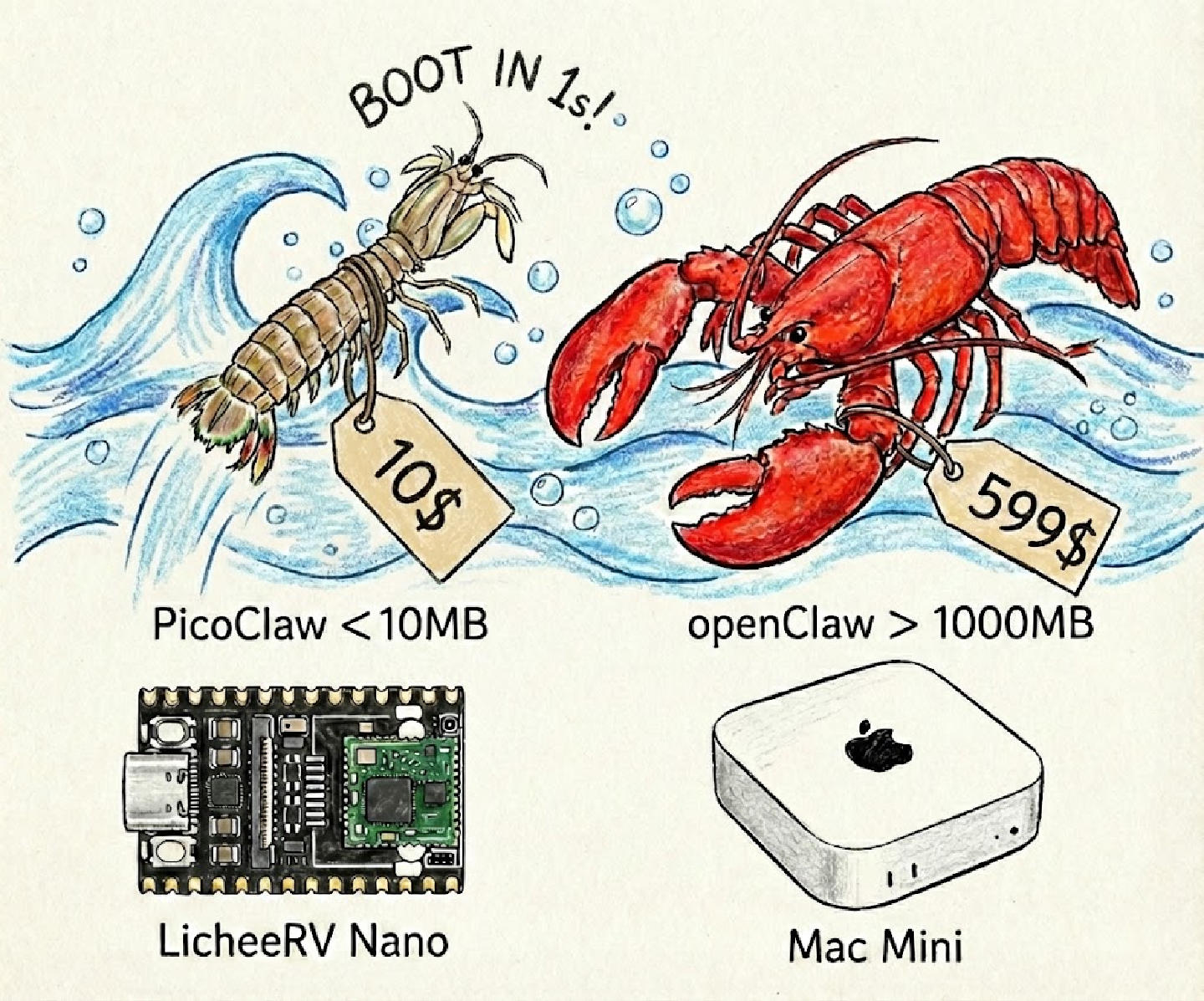
PicoClaw handles standard AI assistant workflows with lightning speed — from coding to memory management and web search.
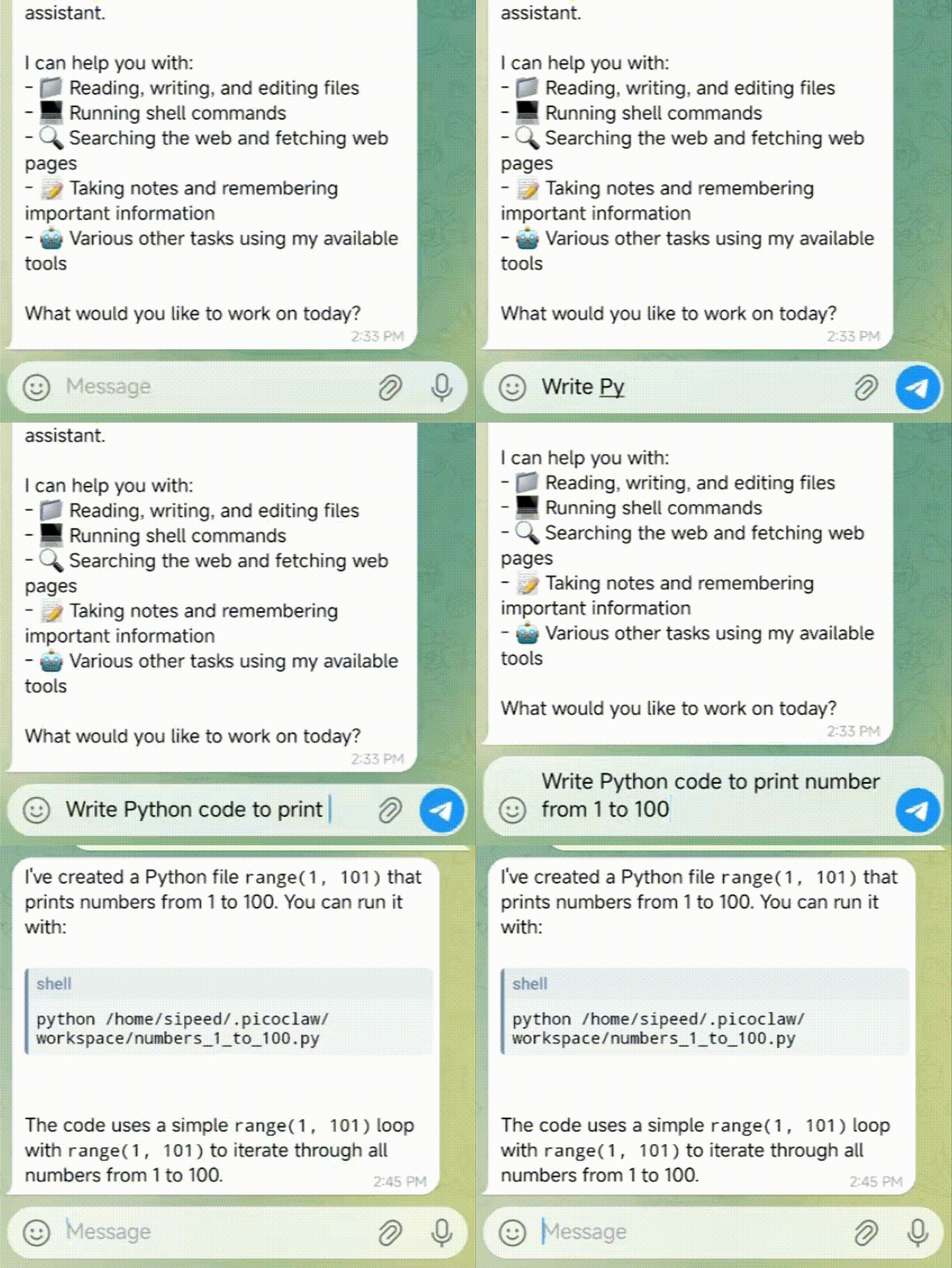
Develop, deploy, and scale applications directly from your AI assistant. PicoClaw writes code, manages files, and automates workflows.
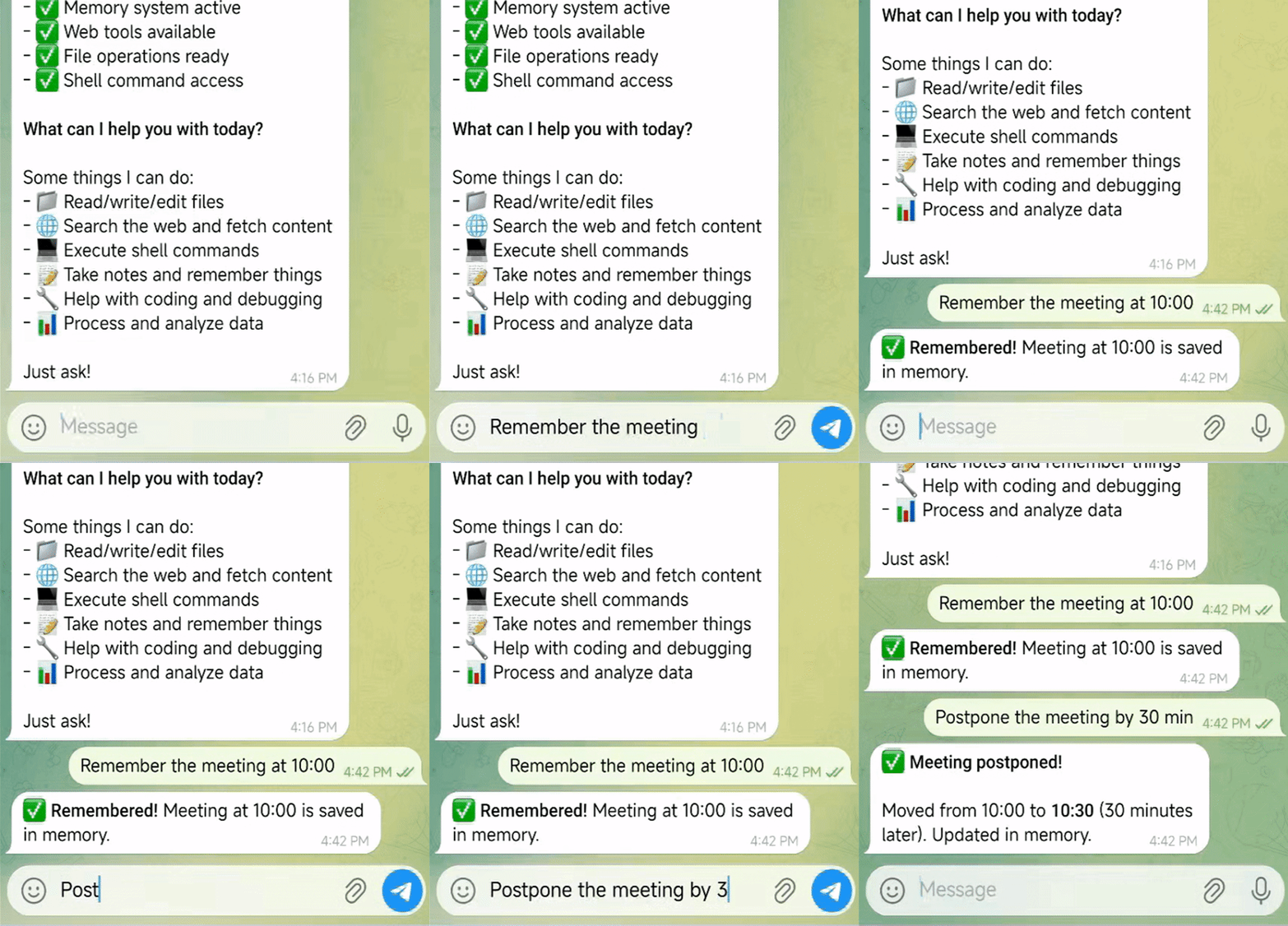
Schedule tasks, automate reminders, and maintain long-term memory. PicoClaw remembers your preferences and manages your workflow.
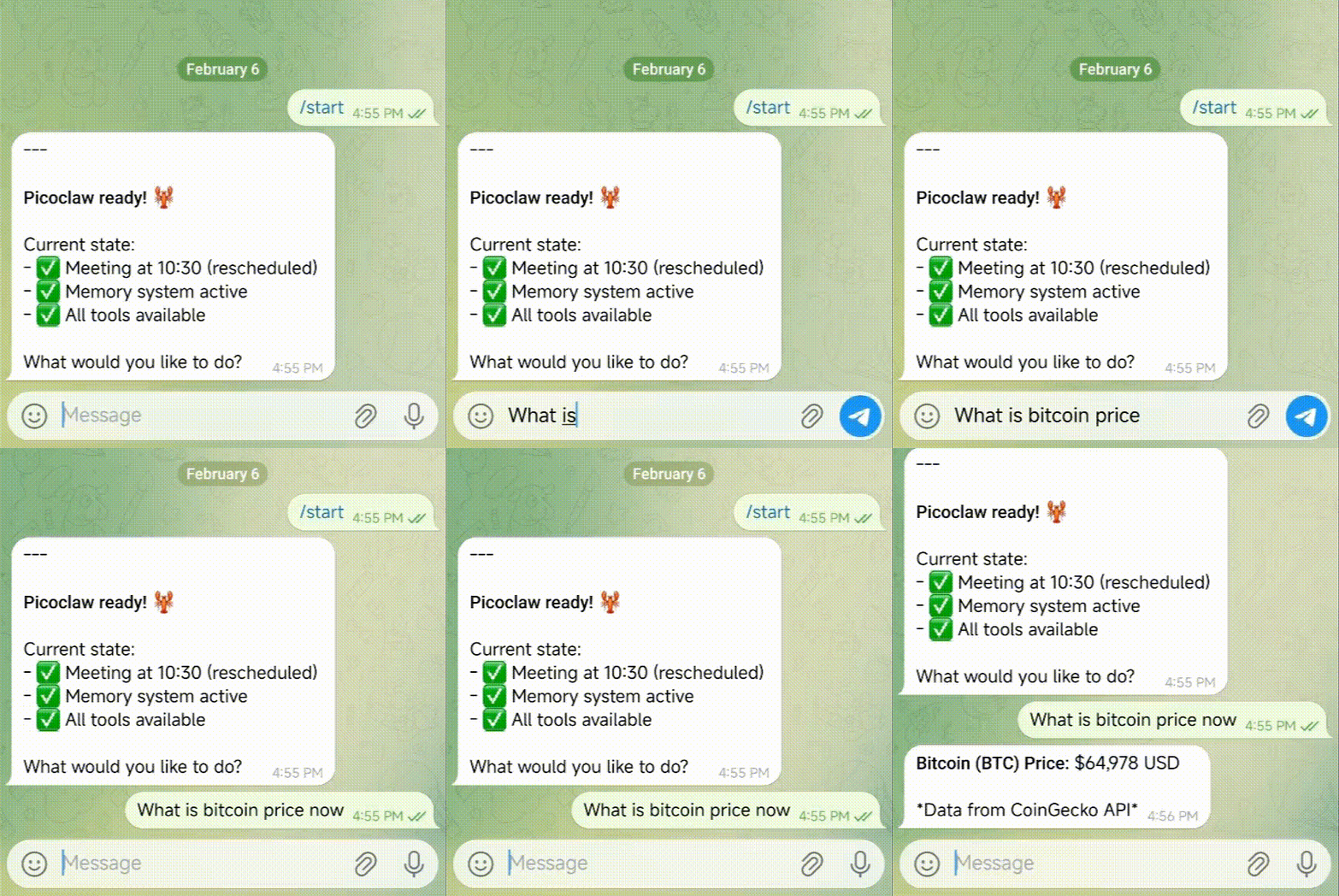
Discover information, extract insights, and track trends. Integrated with Brave Search API for real-time web access.
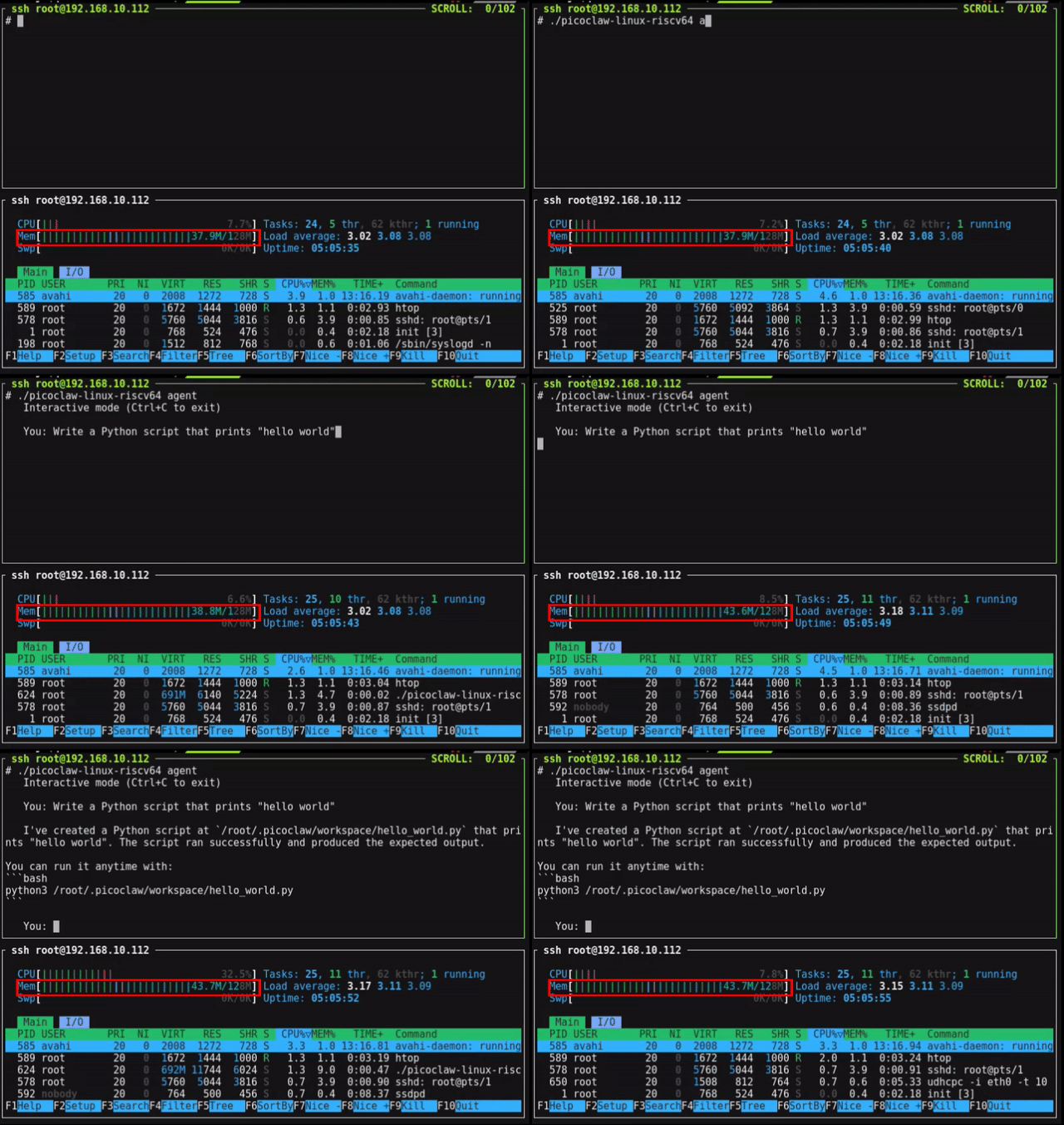
Watch PicoClaw run with under 10MB of RAM on a $10 LicheeRV Nano board. That's less memory than a single browser tab uses.
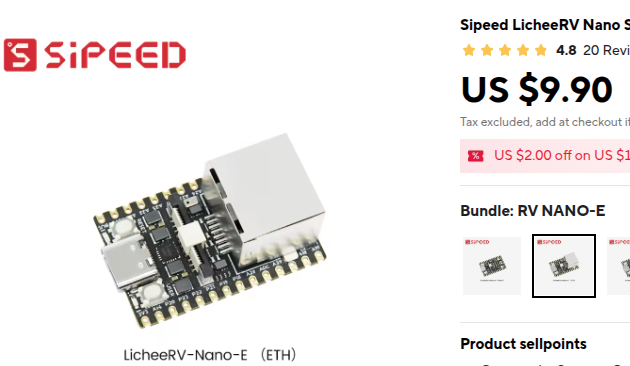
PicoClaw can be deployed on almost any Linux device! From $10 RISC-V boards to powerful servers — pick the right hardware for your use case.
E (Ethernet) or W (WiFi6) version. The perfect minimal home assistant platform.
Standard or Pro version. Perfect for automated server maintenance and remote management.
AI camera with built-in compute. Ideal for smart monitoring and computer vision applications.
Get up and running in under 2 minutes. PicoClaw supports multiple installation methods to fit your workflow.
The fastest way to get started. Download the binary for your platform and run it directly.
# Download from GitHub Releases
# Choose your platform: linux-amd64, linux-arm64, linux-riscv64
wget https://github.com/sipeed/picoclaw/releases/latest/download/picoclaw-linux-amd64

# Make it executable
chmod +x picoclaw-linux-amd64

# Initialize
./picoclaw-linux-amd64 onboard

# Start chatting!
./picoclaw-linux-amd64 agent -m "Hello PicoClaw!"Get the latest features and contribute to development. Requires Go 1.21+.
# Clone the repository
git clone https://github.com/sipeed/picoclaw.git
cd picoclaw

# Install dependencies
make deps

# Build for your platform
make build

# Or build for all platforms
make build-all

# Build and install globally
make installRun PicoClaw without installing anything locally. Perfect for servers and automated deployments.
# Clone and configure
git clone https://github.com/sipeed/picoclaw.git
cd picoclaw
cp config/config.example.json config/config.json
vim config/config.json  # Set your API keys

# Build and start
docker compose --profile gateway up -d

# Check logs
docker compose logs -f picoclaw-gateway

# Or run one-shot agent
docker compose run --rm picoclaw-agent -m "What is 2+2?"Set your API key in ~/.picoclaw/config.json to get started:
{
  "agents": {
    "defaults": {
      "model": "glm-4.7",
      "max_tokens": 8192
    }
  },
  "providers": {
    "openrouter": {
      "api_key": "YOUR_API_KEY"
    }
  }
}Talk to PicoClaw through the messaging platforms you already use. Simple setup, powerful results.
Recommended. Just create a bot token via @BotFather and configure. Supports voice messages with Groq Whisper transcription.
Create a Discord bot, enable Message Content Intent, and add to your server. Full chat support with allow-list security.
Connect via QQ Open Platform with AppID and AppSecret. Optional user allow-list for access control.
Create an internal app on DingTalk Open Platform. Uses Client ID and Client Secret for authentication.
PicoClaw's command-line interface is simple and intuitive. Here are the most common commands.
picoclaw onboard
Initialize config & workspace
picoclaw agent -m "..."
Chat with the agent (one-shot)
picoclaw agent
Interactive chat mode
picoclaw gateway
Start the gateway for chat apps
picoclaw status
Show current status
picoclaw cron list
List all scheduled jobs
picoclaw cron add ...
Add a scheduled job or reminder
PicoClaw runs on any Linux device with as little as 10MB of RAM. This includes $10 RISC-V boards like the LicheeRV Nano, ARM64 devices, and standard x86 machines. It supports RISC-V, ARM64, and x86 architectures natively with a single self-contained binary.
PicoClaw uses less than 10MB of RAM — that's 99% less memory than OpenClaw (which requires over 1GB) and significantly less than NanoBot (100MB+). This makes it possible to run on the cheapest Linux boards available.
Yes! PicoClaw is completely free and open source under the MIT license. You can find the source code on GitHub at github.com/sipeed/picoclaw. PRs are welcome!
PicoClaw supports Telegram (recommended), Discord, QQ, DingTalk, and more chat platforms. You can interact with your AI assistant through any of these platforms. Telegram also supports voice messages with Whisper transcription via Groq.
PicoClaw boots in under 1 second, even on a 0.6GHz single-core processor. That's 400× faster than OpenClaw (500s+) and 30× faster than NanoBot (30s+). Thanks to Go's native compilation and zero runtime dependencies.
PicoClaw supports multiple LLM providers including OpenRouter (access to all models), Zhipu (best for Chinese users), Anthropic (Claude), OpenAI (GPT), Google Gemini, DeepSeek, and Groq (also provides free voice transcription). OpenRouter is recommended as it gives access to multiple models.
Yes! PicoClaw supports scheduled reminders and recurring tasks through the cron tool. You can set one-time reminders ("Remind me in 10 minutes"), recurring tasks ("Remind me every 2 hours"), and cron-based schedules ("Remind me at 9am daily").
PicoClaw was inspired by NanoBot and refactored from the ground up in Go through a self-bootstrapping process. The AI agent itself drove the entire architectural migration and code optimization — 95% of the core code was generated by AI with human-in-the-loop refinement.
Join the community of developers running personal AI assistants on minimal hardware. Open source, MIT licensed, and ready to deploy.